Token-Swap Studio
The Token-Swap System: How to Generate Consistent, Professional-Grade Images with One Master Template.
Status line: this page reproduces the Token-Swap System guide in full and turns it into a working studio. The prompt assembler, token library, custom world builder, consistency checker, and gallery all run in your browser. No prompt leaves your machine. Em dashes in the source text are rendered as commas, periods, or separator lines in this build, per house style.
The Guide: The Token-Swap System
If you have ever tried to create a cohesive series of AI-generated images, you know the struggle. One prompt gives you stunning architectural photography, the next produces something that looks like it came from a completely different universe. Colors shift, lighting changes, and your "luxury estate" suddenly becomes a cartoon mansion.
Enter the Token-Swap Template System, a game-changing approach that locks in your core visual DNA while giving you surgical control over specific elements.
The Problem with Traditional Prompting
Most people approach AI image generation like throwing spaghetti at a wall. They write a new prompt for every image, hoping for consistency but getting chaos instead. Even small wording changes can completely derail your aesthetic.
The result? A portfolio that looks like it was created by five different photographers using five different cameras on five different planets.
How Token-Swap Templates Work
Think of it like a movie production. You have your master cinematography setup, your camera, lighting, color grading, and overall visual style. That stays locked. But you can swap out specific "tokens" to change the angle, focus, or emphasis without breaking your visual continuity.
Here is the anatomy of a token-swap system:
The Master Foundation. This is your visual DNA, everything that defines the look, feel, and technical execution:
- Technical specs: Camera settings, rendering quality, lighting conditions
- Core subject: Your main focus (in this case, a luxury estate)
- Environment: Landscape, architecture, materials, colors
- Style directives: What to emphasize, what to avoid
The Swap Tokens. These are your variable elements, marked with special tags like <ANGLE_TOKEN> that you can swap out:
Example Token Swaps: <ANGLE_TOKEN> Options:
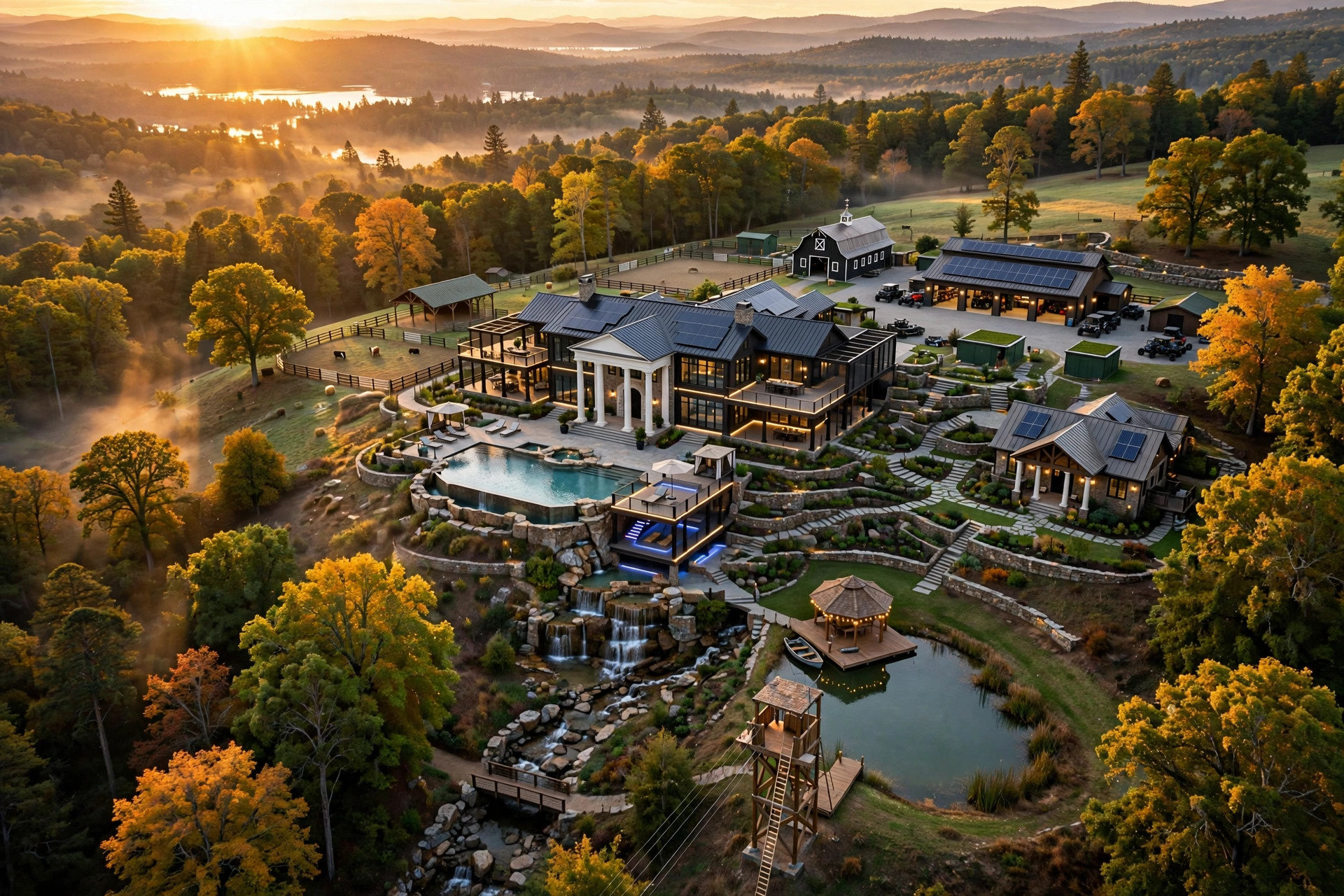
- P1 Aerial Overview. "High-altitude three-quarter aerial sweeping over entire 200-acre estate, all structures and water features visible."
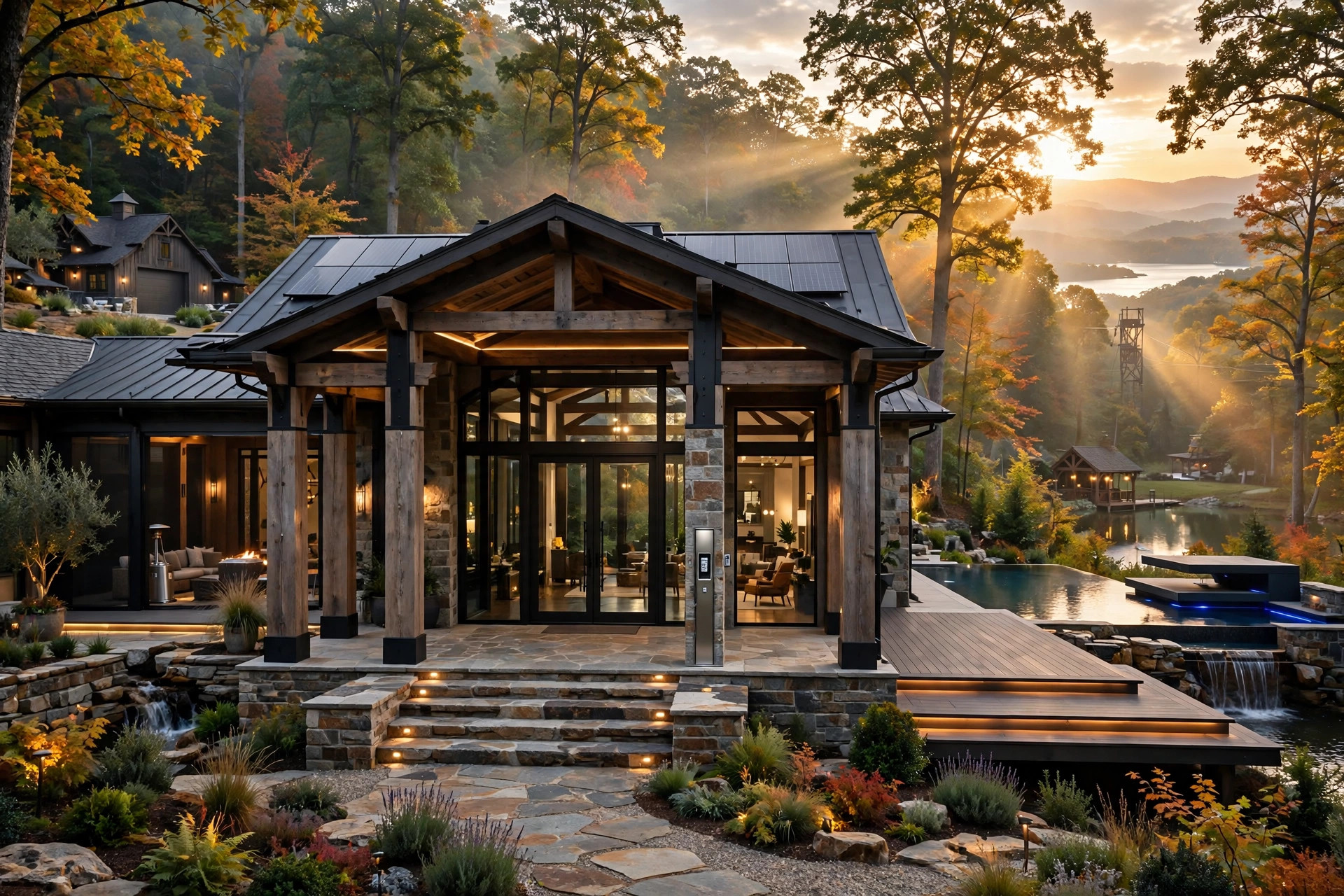
- P2 Front Elevation. "Eye-level cinematic hero shot of main portico at dusk."
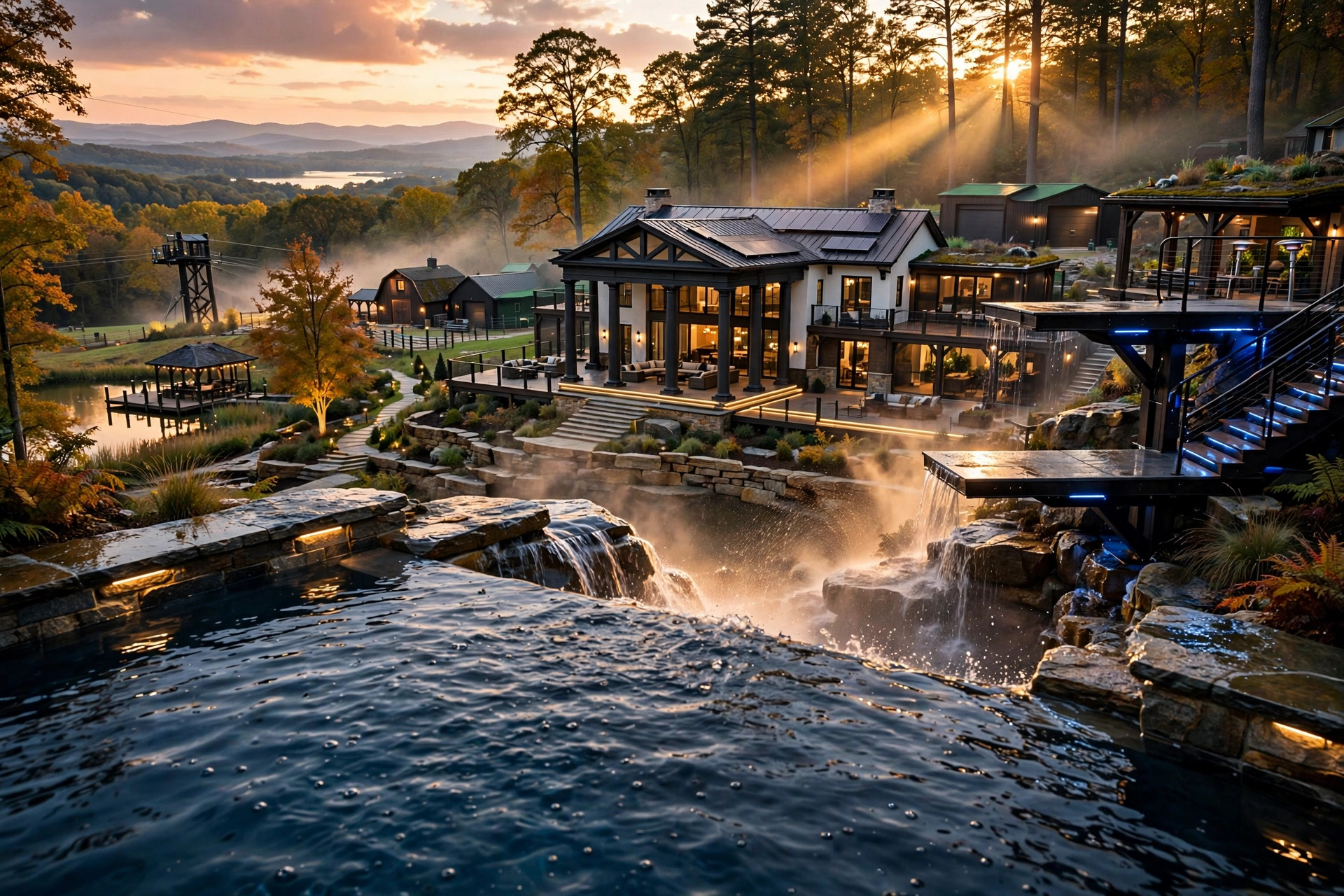
- P3 Pool-Deck. "Low-angle twilight view across infinity pool toward glass façades."
- P4 Interior-Exterior. "Through floor-to-ceiling glass from great room looking out to terraced landscape."
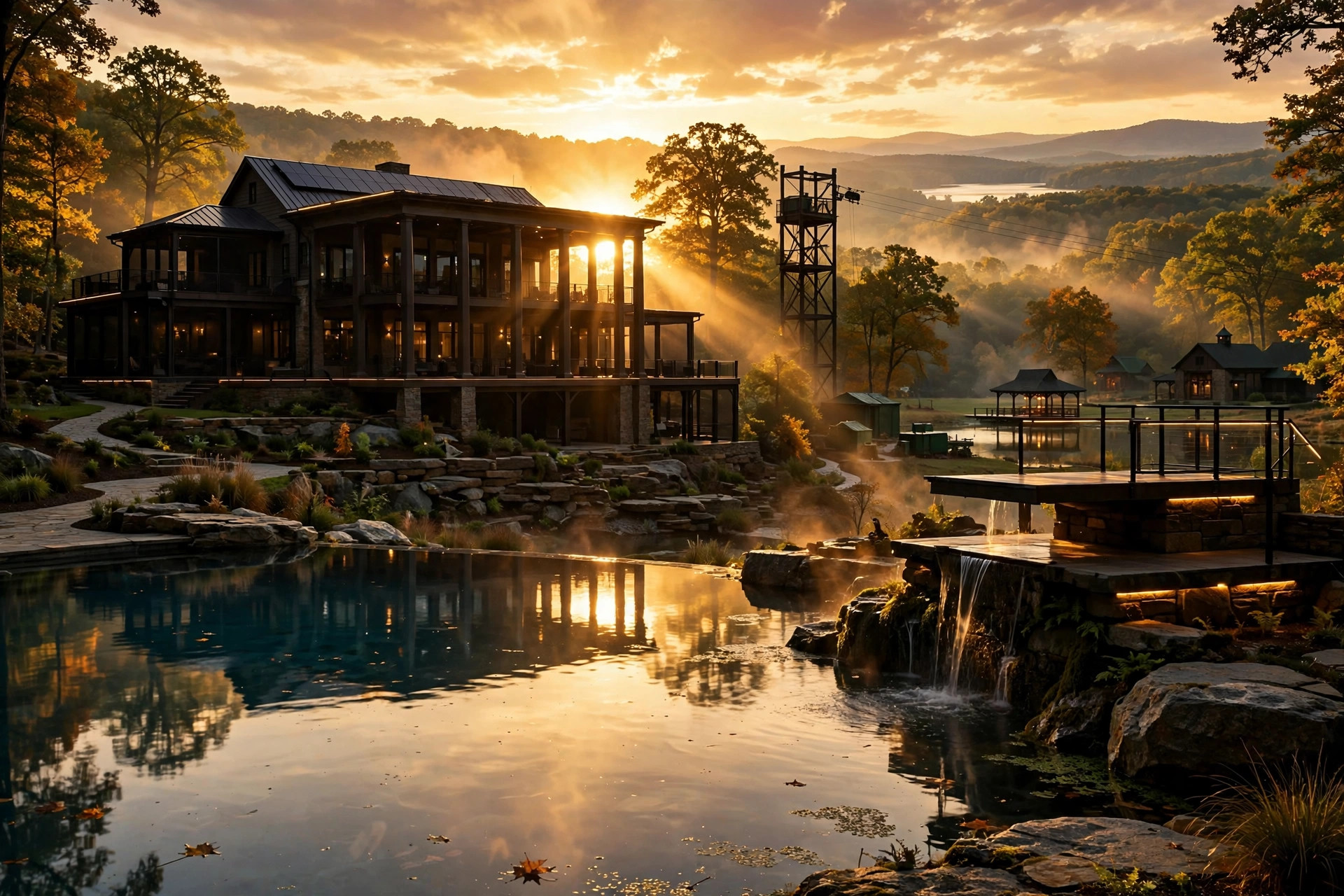
- P5 Sunset Silhouette. "Dramatic backlit silhouette of main residence against golden sky, foreground water feature reflecting light."
Why This System Is So Powerful
- Visual Consistency. Every image shares the same technical foundation, lighting conditions, and aesthetic DNA. Your portfolio looks like it was shot by the same photographer on the same day.
- Efficient Iteration. Instead of rewriting entire prompts, you swap one token. Want to see the property from above? Swap P1. Want a dramatic entrance shot? Swap P2. The rest stays identical.
- Quality Control. Your negative prompts and technical specifications are baked into every generation, eliminating common AI artifacts and maintaining professional standards.
- Scalability. Create dozens of different angles and focuses without losing your core aesthetic. Perfect for client presentations, marketing materials, or portfolio development.
Building Your Own Token-Swap Template
Step 1: Define Your Master DNA. Start with your non-negotiable elements:
- Technical quality: Resolution, camera specs, rendering style
- Lighting: Time of day, weather, atmospheric conditions
- Core subject: What are you always showing?
- Style boundaries: What should this never look like?
Step 2: Identify Your Variables. What elements need to change between shots?
- Camera angles and distances
- Specific focus areas
- Seasonal variations
- Architectural emphasis
- Mood or atmosphere tweaks
Step 3: Create Your Token Library. Build a collection of drop-in options for each variable:
<SEASON_TOKEN> Options:
- "Spring: dogwood blossoms, fresh green foliage, soft morning light"
- "Summer: full canopy, vibrant perennials, warm afternoon glow"
- "Autumn: maple reds and golds, crisp air, dramatic side-lighting"
- "Winter: bare branches, evergreen contrast, cool blue shadows"
<MOOD_TOKEN> Options:
- "Serene luxury: calm water, gentle breeze, peaceful atmosphere"
- "Dynamic drama: storm approaching, moody clouds, intense contrast"
- "Warm welcome: golden hour, inviting glow, cozy outdoor spaces"
Step 4: Test and Refine. Generate a series using different token combinations. Fine-tune your master template based on what works and what doesn't.
Advanced Token-Swap Strategies
Micro-Modifiers. Use enhancement tags like <"Professional landscape architecture showcase" Atmospheric perspective haze> to make subtle adjustments without breaking your core aesthetic.
Conditional Tokens. Create tokens that work together: <TIME_TOKEN> + <LIGHTING_TOKEN>
- "Dawn" + "Soft directional light through morning mist"
- "Dusk" + "Warm backlighting with deep blue sky gradient"
Style Variations. Build multiple master templates for different project types:
- Architectural photography template
- Real estate marketing template
- Artistic interpretation template
The Bottom Line
Token-swap templates transform AI image generation from random chance into predictable craft. You are not hoping for good results, you are engineering them.
Whether you are creating marketing materials for luxury real estate, developing concept art for film, or building a cohesive portfolio, this system gives you the consistency and control that separates professional work from amateur experiments.
The best part? Once you build a solid template, you can generate dozens of variations in minutes, not hours. Your only limit becomes your imagination for new token combinations.
Ready to stop playing prompt roulette and start creating like a pro? Build your first token-swap template today.
The Complete Template: See It In Action
Here is the full master template that generates all those stunning luxury estate shots. Notice how everything except the <ANGLE_TOKEN> stays locked in place:
<ANGLE_TOKEN> | ultra-photoreal 8K master render, golden-hour western sunset, volumetric sun rays, award-winning architectural photography, razor-sharp micro-detail, physically based materials, global illumination, atmospherics (dust/mist), perfect dynamic range, natural color science, zero stylization artifacts, mathematically correct perspective, 16:9 unless noted
---
SUBJECT: 200-acre luxury estate | fusion of modern smart-home tech + Southern plantation grandeur + Lake Tahoe mountain lodge
MAIN RESIDENCE: grand colonial massing, towering columned portico w/ smart entry, floor-to-ceiling electrochromic glass, steel & timber accents, standing-seam metal roof w/ solar array, multi-tier composite decks w/ recessed LED rails, retractable screened verandas, climate-controlled outdoor rooms
LANDSCAPE: rolling topography, 70% mature hardwood forest (oak/maple/hickory), seasonal plantings (spring dogwoods/redbuds; summer perennials; autumn maples/sweetgums; winter evergreens), pro-grade landscape lighting on specimen trees & façade, natural stone terraces & retaining walls, gravel + flagstone paths connecting all nodes
WATER SYSTEM: infinity-edge natural swimming pool overlooking sunset, two-tier diving platform w/ LEDs, cascading water features, 2-3 acre fishing pond w/ dock & gazebo, creek/stream linking features, zipline tower to pond
OUTBUILDINGS: heated powersports/auto workshop complex, classic horse barn + modern stalls & arena, architected chicken coop, cattle shelter w/ integrated fencing, guest cottage echoing main house styling, green-roof equipment sheds
SETTING/VIEWS: elevated site, unobstructed west exposure, distant lake 5-10 miles through treeline, rolling hills & ridgelines on horizon, preserved tree corridors framing sun, zero neighbor visibility
---
[A] Modern Tech Emphasis
"Tech-forward minimalism; reveal smart systems (hidden tracks, auto louvers), sleek concrete/cor-ten steel, broad glass planes, clean lines."
---
ENHANCE: <"Professional landscape architecture showcase" Atmospheric perspective haze>
---
TECH: f/8 hybrid cinelens (24 mm + 50 mm blend), ISO 100, 1/320 s, 12-bit RAW color depth, subtle chromatic aberration on glass, lifelike foliage & skin SSS where visible
---
NEGATIVE: cartoonish, over-saturated HDR, tilt-shift gimmicks, fisheye, blown highlights, muddy shadows, AI glitches, warped geometry, watermark, text artifacts
Your Token Swap Options
- P1 Aerial Overview. "High-altitude three-quarter aerial sweeping over entire 200-acre estate, all structures and water features visible."
- P2 Front Elevation. "Eye-level cinematic hero shot of main portico at dusk."
- P3 Pool-Deck. "Low-angle twilight view across infinity pool toward glass façades."
- P4 Interior-Exterior. "Through floor-to-ceiling glass from great room looking out to terraced landscape."
- P5 Workshop Focus. "Three-quarter view of heated powersports garage with doors open, vintage cars visible, main house in background."
- P6 Equestrian Angle. "Wide shot from horse arena toward main residence, modern barn in foreground, rolling pastures."
- P7 Water Feature Drama. "Low angle across cascading water features toward infinity pool, main residence silhouetted against sunset."
How to Use It
- Copy the entire template above
- Replace <ANGLE_TOKEN> with any of the P1-P7 options
- Generate your image
- Want a different angle? Just swap in a different P option
That is it. Same lighting, same quality, same aesthetic DNA, just different perspectives of your luxury estate. No more prompt roulette, no more inconsistent results.
This template generates professional-grade architectural visualization that would cost thousands from a traditional 3D rendering studio. The secret? Every single technical and aesthetic decision is locked in place except for the one variable you actually want to change.
Why This Works: A Breakdown of the Magic
This is not just a long prompt; it is a structured brief, like one you would give to a human architect and photographer. It works by separating the permanent world from the variable shot.
1. The Master Style (The Foundation)
ultra-photoreal 8K master render, golden-hour... This first line is the non-negotiable aesthetic contract. It establishes the quality, lighting, and overall feel. By defining things like physically based materials and global illumination, you are telling the AI to simulate how light behaves in the real world, which is the key to photorealism. This part never changes.
2. The World Bible (The Unchanging Details)
SUBJECT:, MAIN RESIDENCE:, LANDSCAPE:, etc. This is the core of the template. You are meticulously defining every element of your world. You are not just saying "a modern house"; you are describing its grand colonial massing, its standing-seam metal roof, the specific types of trees in the forest, and the path system connecting the buildings.
By providing this overwhelming amount of concrete detail, you anchor the AI's imagination. It no longer has to guess what the estate looks like; you have given it the blueprints. This detailed "world bible" is what ensures the infinity pool in one shot is the exact same infinity pool in the next.
3. The Secret Sauce: Swappable Tokens
This is where the true power and flexibility come in. Instead of rewriting the prompt for every new image, you only change small, designated tokens.
The <ANGLE_TOKEN>. This is the most important token. It acts as your virtual camera. The entire world bible remains fixed, and you simply tell the AI where to stand.
How to use it: Replace <ANGLE_TOKEN> with a specific shot description.
- For an aerial view, you would use: P1 Aerial Overview, "High-altitude three-quarter aerial sweeping over the entire 200-acre estate, all structures and water features visible."
- For a ground-level hero shot, you would use: P2 Front Elevation, "Eye-level cinematic hero shot of main portico at dusk."
- For a dramatic poolside shot, you would use: P3 Pool-Deck, "Low-angle twilight view across infinity pool toward glass façades."
You can create an entire shot list! Think like a film director: P4 Workshop Interior, P5 Zipline Tower Detail, P6 Guest Cottage Sunset View. The world stays the same; only the camera moves.
The ENHANCE: Token. Think of this as a micro-modifier or a director's note. The scene is set, the camera is placed, but you want to bias the final render toward a specific detail or mood.
As written: <"Professional landscape architecture showcase" Atmospheric perspective haze> tells the AI to pay extra attention to the quality of the plantings, lighting, and stonework, adding a little haze for depth.
You could swap it to: <"Focus on the smart-home technology" highlighting the glow of recessed LEDs and control panels> to get a more tech-focused image.
Or even: <"Emphasize the autumnal colors" making the maple and sweetgum foliage the star of the shot>.
This gives you another layer of fine-tuned control without disturbing the foundational world.
4. The Technical Direction (The "Camera")
TECH: f/8 hybrid cinelens... This section is brilliant. By specifying camera settings like aperture (f/8), shutter speed (1/320s), and ISO, you are giving the AI technical parameters that are directly linked to real-world photography. This helps it understand the desired depth of field, motion blur (or lack thereof), and light sensitivity, pushing the result away from "generic AI art" and toward "professional photography."
5. The Bouncer (The Negative Prompt)
NEGATIVE: cartoonish, over-saturated HDR... Finally, the negative prompt is your quality control. It is a list of everything you do not want to see. This is crucial for cleaning up common AI mistakes, preventing weird artifacts, and ensuring the final image is clean, crisp, and believable.
How You Can Create Your Own
The beauty of this template is its adaptability.
- Choose Your World: Swap my luxury estate for anything you can imagine. A cyberpunk megalopolis? A tranquil elven village? A gritty WWII battlefield?
- Build Your Bible: Spend time writing the details. What are the key buildings? What does the foliage look like? What materials are common? The more detail, the more consistent your world will be.
- Define Your Tokens: Decide what you want to be able to change on the fly. <ANGLE_TOKEN> is essential. You might also add an <OBJECT_TOKEN> to place different vehicles in a driveway or a <TIME_OF_DAY_TOKEN> to swap between golden hour, midday, and twilight.
- Set Your Style: Define your master aesthetic, your camera settings, and your negative prompts.
- Shoot! Start swapping your tokens and watch as you generate a whole, consistent series of images from your unique world.
Tool 1: Prompt Assembler
Pick one option from each token group. The studio assembles the complete prompt: the selected angle, the master style line, the full world bible, the [A] emphasis, the selected ENHANCE token, TECH, and NEGATIVE, all verbatim from the source except the swapped tokens. The TIME + LIGHTING choice swaps the lighting phrase inside the style line (golden hour is the template default). SEASON and MOOD are added as their own lines when selected.
Angle token
Season token
Mood token
Time and lighting token
Enhance token
Tool 2: Token Library
Every token option with its exact text. Use the "Use" button to load any option straight into the assembler.
Tool 3: Custom World Builder
Build your own master template in the exact same structure as the estate template. Fill in your world, generate, and copy. "Load estate values" fills the form with the luxury estate template so you can see the structure, then edit it into your own world.
Fill in the form and press "Generate my template".
Tool 4: Consistency Checker
Paste two prompts. The checker compares the four locked sections (style line, world bible, TECH, NEGATIVE) and reports which sections match and which drifted. Each matching section is worth 25 points. A pair that differs only in the angle token scores 100, because the style comparison ignores the angle text before the | separator on the first line. "Load matching pair" and "Load drifted pair" fill in samples to try it.
Tool 5: Gallery
Sample images generated from the master template. Each shows its angle token and the exact prompt used. All four are AI-generated illustrations of the template, not photographs of a real estate. If an image file is missing from the folder, the prompt text still shows and a plain note says so, without breaking the rest of the page.